



In music, as in any creative endeavor, the right tool is essential—one that suits you personally. For open-source enthusiasts, Ardour can certainly be that tool. However, beginners are often put off by its overly technical interface and the stark color schemes of its default themes.
But don’t worry! On this page, you’ll find exclusive themes for Ardour that will transform those long studio sessions in this DAW into a comfortable and productive experience. All the themes I design not only look stylish but, more importantly, help reduce eye strain during hours of work. The collection will be continuously updated.
How to Install an Ardour Theme?
By default, Ardour doesn’t allow you to save themes through its interface, but thanks to its open-source nature, the configuration files can—and should—be edited manually. The developers have provided for this.
To install a theme, you’ll need two files (both with .colors extension): theme_name.colors and my-theme_name.colors. Copy them according to your operating system:
Windows
- Copy the my-theme_name file to the folder: %USERPROFILE%\AppData\Local\Ardour9
- Copy the my-theme_name file to the hidden user folder: ~/.config/ardour9/themes/
Note
The AppData folder is usually hidden. To access it quickly, paste this path directly into the address bar of File Explorer and press Enter.
Linux
- Copy the theme_name file to the system folder (administrative privileges required): /usr/share/ardour9/themes/
- Copy the my-theme_name file to the hidden user folder: ~/.config/ardour9/themes/
Once the files are copied, open Ardour, go to Edit -> Preferences, and in the Colors tab, select your new theme from the dropdown menu.
You can download Ardour from the developers’ website. When downloading from there, they suggest a minimum donation of $1 to support the project. If you have the means, please support them—the project exists solely on donations! If not, you can download the Windows version for free here.
Important
These instructions apply to Ardour version 9 installed from the official deb/rpm package. The Flatpak version will not work, as its sandboxed environment prevents editing the program’s system folders.
Smoky Summer Nights
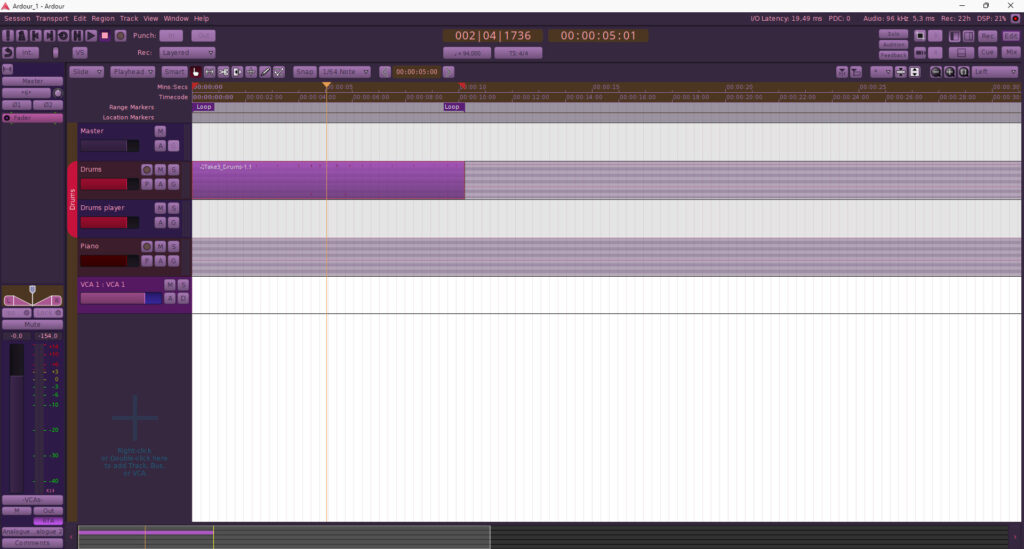
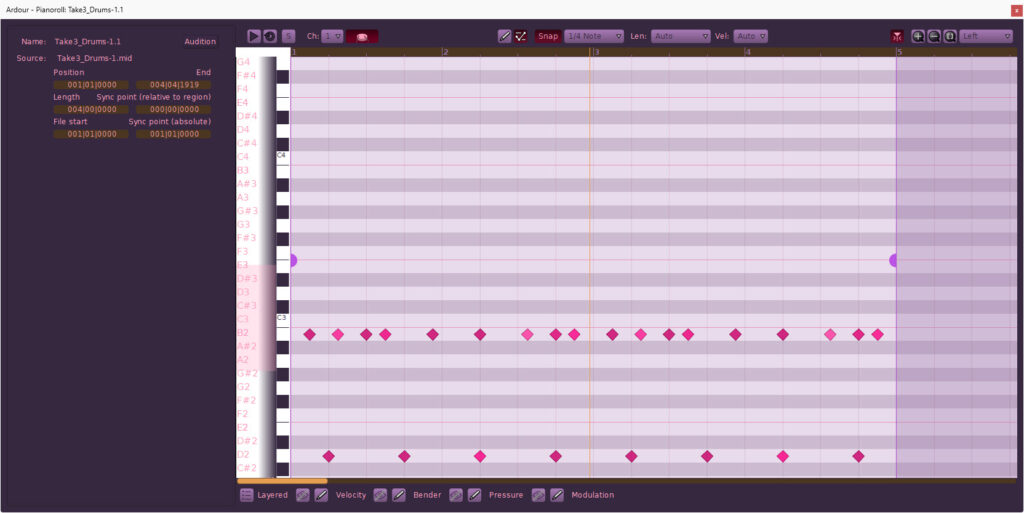
The color palette of the “Smoky Summer Nights” theme sets the mood for long nocturnal sessions in the music studio, resonating with the aesthetics of jazz and underground hip-hop. The interface panels are rendered in muted inky purple and smoky tones, softly framing the workspace without distracting from what matters most. Vibrant raspberry accents on the transport buttons and level meters add that quintessential “warm”, “cozy” feel to your studio’s interior while helping you quickly locate the necessary controls, even under dim lighting.
Ardour: exclusive “Smoky Summer Nights” — main interface
Ardour: exclusive “Smoky Summer Nights” — piano roll view
You can download the theme files here.