


After launching the website for a private community where I teach music creation, a particular thought crossed my mind. Many people who develop a desire to learn music production just want to give it a try first. Spending money on a commercial DAW, only to realize after a short time that writing music “isn’t for you” – you’ll agree, that’s not the best option! Furthermore, there are musicians with a very small budget or none at all, as well as those who cannot purchase a commercial DAW due to a lack of purchasing options. I want to make a clarification right away – I respect the work of developers and therefore will not recommend that my students use pirated software. But what can you do if the desire to create is strong, but the ability to buy a paid program is not?
Specifically for such cases, I monitored the market for software available on Windows (as I am a Windows user) looking for free alternatives. The most likely candidate appeared to be Cakewalk by Bandlab. This program is essentially a free version of the paid proprietary DAW Cakewalk Sonar Platinum, the rights to which the Bandlab developers acquired from Gibson some time ago. Unfortunately, last year Bandlab decided to transition the DAW from the free category to a subscription-based DAW, reverting its name to Cakewalk Sonar. The new version does have a free subscription tier, but I cannot recommend it. The issue is that the free version lacks the ability to enable oversampling (why this is important can be read in this article), as well as the ability to export projects using more advanced export algorithms beyond the standard ones. Since you wouldn’t be able to export projects at the highest possible quality, the free version of Cakewalk Sonar won’t suit your needs.
The next candidates for consideration were Tracktion Waveform and Cocos Reaper. My relationship with Tracktion has historically been complicated. The program has free and paid versions. For writing music, the free version places no restrictions on users – neither on the number of tracks nor on export quality. However, with the previous version, Waveform 12, I often encountered instability and crashes. This, you’ll agree, can kill the desire to create music for a long time. And the creative process should, to a certain extent, be intimate and comfortable. As for Reaper – the program can be used in trial mode without any limitations. Except, perhaps, for a pop-up window appearing when you launch the program, asking you to purchase it. However, the developers themselves position their DAW as paid, with a very budget-friendly cost. The license for individuals and small businesses costs only 60 dollars. In the private community, I do teach using Reaper among other DAWs, but following the developers policy, I do not consider it a free program. Whether to use the endless trial or not – that’s for you to decide.
Eventually, my search led me to Ardour. This workstation is one of the oldest DAWs and was originally developed for Linux and Mac OS. Honestly, until I started looking for a free program for working on music projects, I didn’t even know that a Windows version also existed. Ardour DAW is an open-source program distributed under the free GNU GPL license. I am a big fan of open-source software: I use Krita for drawing, Blender for creating 3D objects and environments, and Kdenlive and Natron as excellent complementary linear and node-based video editors. So, I decided to take a closer look at Ardour as well.
I spent several days studying the program’s interface and capabilities, sketching out musical ideas in it. I came to the conclusion that the program’s functionality covers all the needs of a music producer. With Ardour, it is entirely possible to create modern commercial hits, with sound quality not inferior to compositions made in other paid DAWs. The icing on the cake is Ardour’s unique flexibility in signal routing. In the future, I definitely plan to test the DAW’s capabilities for integrating players from the Reason Rack Plugin, as well as sequencers and arpeggiators from third-party manufacturers like HY-Plugins.
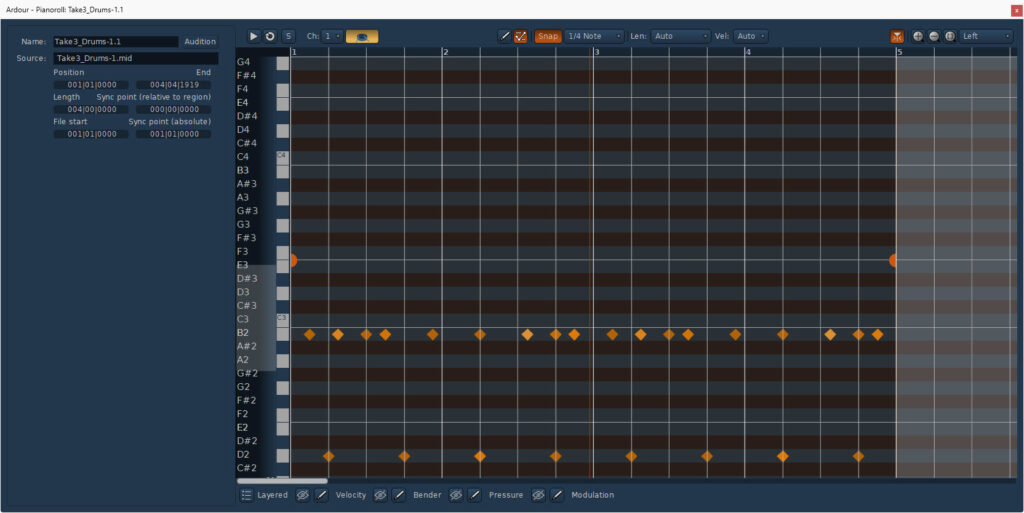
The only thing that slightly bothered me was the program’s interface. For a beginner, the interface might seem too cluttered and could scare them off. Moreover, the default themes look more “technical” than “visually appealing.” This is understandable, as open-source products are often written either by a single developer or a small team, with the focus being on functionality. A beautiful interface is often just the wrapper for the candy, used to sell it advantageously, and is not a requirement for free programs.
Ardour: Standard “Die Hard 3” theme — main interface
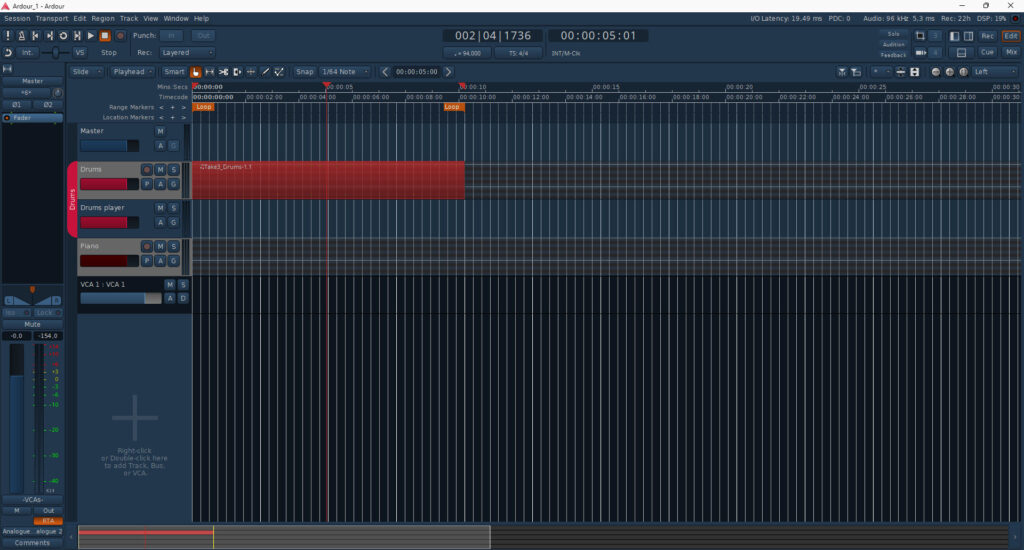
Ardour: Standard “Die Hard 3” theme — piano roll view
Ardour does allow you to change the color settings of various DAW elements, but there’s no way to save the modified theme as a separate file and add it to the list of presets with a single click. However, given the open-source nature, the program’s configuration files can be edited. And here, I will take one more step for your convenience!
I have experience in web interface programming. This website is based on a third-party template, but I performed all the numerous code modifications myself. Additionally, I also have experience working as a graphic designer. So, I decided to consolidate all my knowledge from various fields and write a unique, custom theme for Ardour for you.
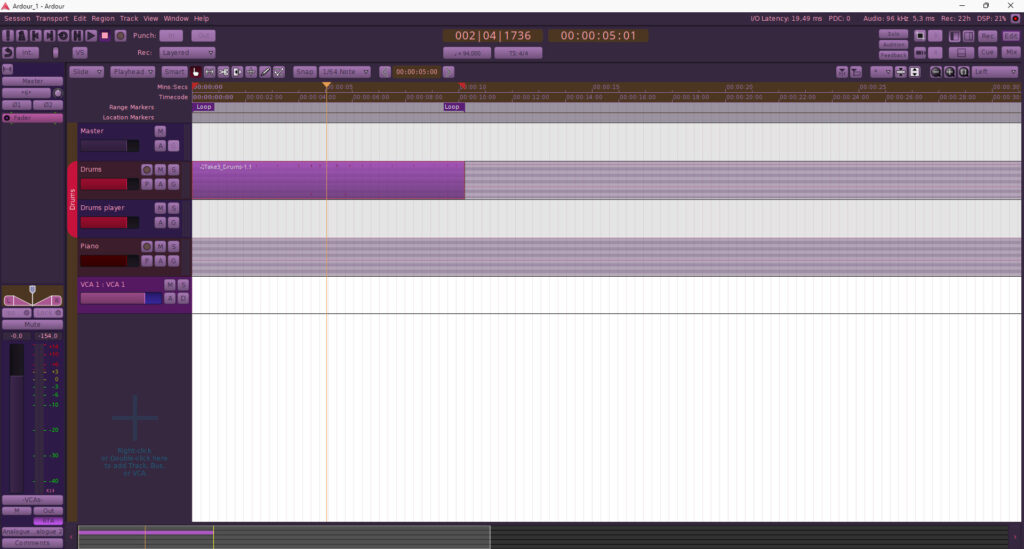
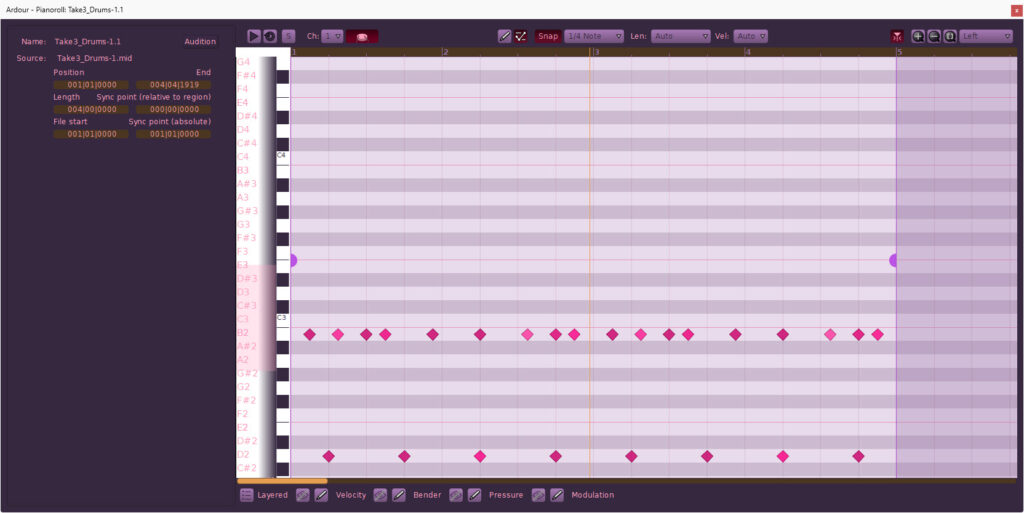
After nearly two days of almost non-stop work, a theme was born, which I named Smoky Summer Nights. This theme has been developed considering my many years of experience working in various DAWs and fits perfectly with the overall brand aesthetic of Flame2Fame Music. The program’s interface is visually divided into two parts – light and dark. The light part represents the “white canvas” of the arranger, where the structural elements of the composition will be placed, and the dark part comprises the rest of the interface elements, which you turn to only when needed. This allows you, with the arranger window open, to focus your attention directly on the arrangement, without being distracted by an abundance of buttons and icons in the interface. The theme’s color palette sets the mood for long nocturnal sessions in the music studio and resonates with the aesthetics of jazz and underground hip-hop. The interface panels are rendered in muted inky purple and smoky tones. This isn’t just a “dark area,” but a visual embodiment of a neon sunset in a metropolis or the twilight of a jazz cellar. Such shades reduce eye strain during nighttime work, creating an atmosphere of “cozy, warm” comfort. The pink and raspberry accents on buttons and indicators harken back to the aesthetics of old-school samplers (like the Akai MPC) and inject a dose of groove into Ardour’s strict interface. This connects the program to the visual code of 90s hip-hop culture. Special attention in Smoky Summer Nights has been paid to typography. I aimed to ensure that small text and numerical parameter values don’t “hurt” the eyes, yet remain crystal clear. Thanks to a well-calibrated balance between pastel-lilac fonts and the deep panel backgrounds, even after 10 hours of work, small inscriptions don’t blur into a single spot. This allows for instantly reading track names and plugin values, preserving that very atmosphere of “soft” studio twilight.
Ardour: Exclusive “Smoky Summer Nights” — main interface
Ardour: Exclusive “Smoky Summer Nights” — piano roll view
You can download Ardour directly from the official website. The project relies entirely on community support, and the developers ask for a minimum donation of $1 to download the ready-to-run version. If you’re able, please consider supporting this amazing open-source tool!
However, if you’re looking for an alternative way to get started, you can download the free community version for Windows here. Once you have the DAW, you can get my exclusive Smoky Summer Nights theme here to complete your studio setup.
If you use FL Studio as your main workstation, you can download my themes for it via this link.
Which DAW or perhaps plugin that you use do you think I could create a custom skin for next? To make them look better. Please let me know in the comments.